
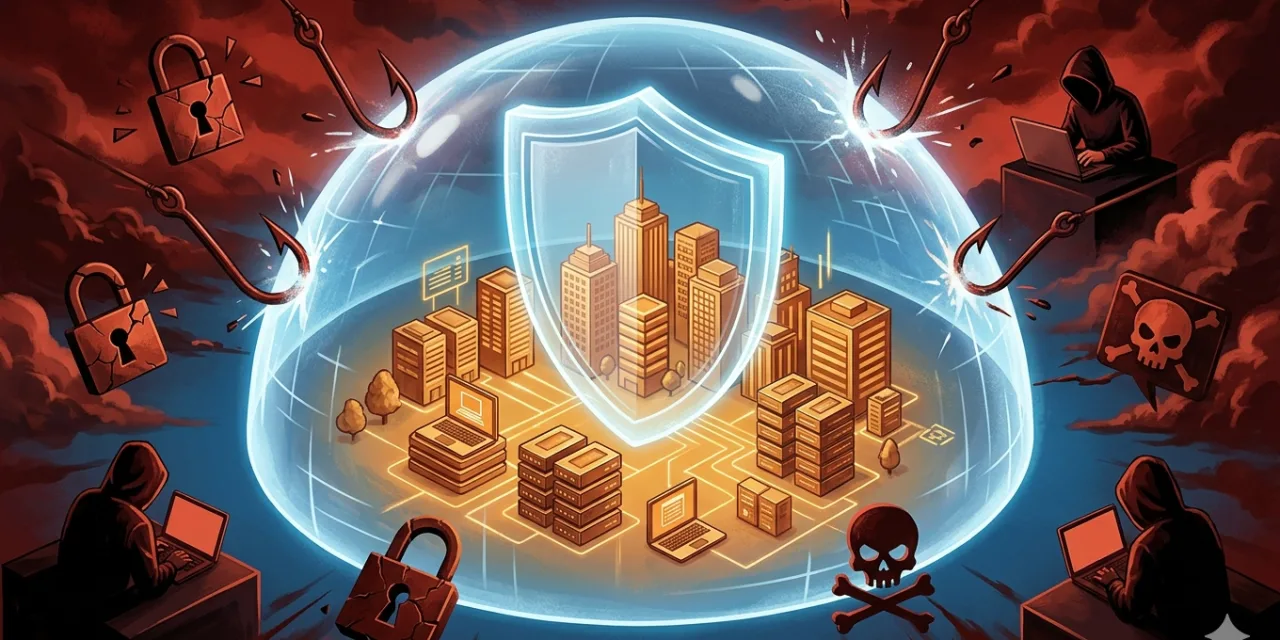
Small businesses face 43 percent of all cyberattacks in 2026, despite representing only about 30 percent of the business landscape. Ransomware attacks on small businesses have increased by 78 percent since 2024. The average cost of a data breach for a small business now exceeds $4.9 million. And 60 percent of SMBs that experience a significant cyberattack go out of business within six months. These are not abstract statistics about a problem that happens to other companies. If your business has fewer than 1,000 employees, operates in any sector that handles customer data or financial transactions, and relies on any digital infrastructure at all — you are in the primary target demographic for cybercriminals in 2026.
The reason small and medium-sized businesses have become the preferred target for sophisticated cyberattacks is brutally straightforward: they hold much of the same valuable data as large enterprises — customer payment details, financial records, employee information, business intelligence — but typically lack the security investment, dedicated IT staff, and monitoring capability that large enterprises have. Automated attack tools and ransomware-as-a-service platforms have made it trivially easy for criminal groups to scan thousands of small business networks simultaneously and target the ones with detectable vulnerabilities. The days when being small meant being beneath attackers’ notice are over.
This guide gives you the complete, practical playbook for protecting your business from cyberattacks in 2026 — from the most critical foundations that prevent the majority of attacks, through the specific threats you need to understand, to the employee training and incident response planning that determine whether a security incident becomes a recoverable event or a business-ending one. This is not a guide for enterprise security teams with million-dollar budgets. It is a guide for business owners and operators who need to understand what actually matters and what to do about it.
Why Your Business Is a Target: The Honest Picture
The persistence of the belief that small businesses are too small to be worth attacking is itself one of the most dangerous security vulnerabilities in the SMB sector. Fifty-nine percent of small business owners who have no cybersecurity believe their company is too small to be targeted. This belief is exploited by the very attackers it is supposed to dismiss.
Modern cyberattacks against small businesses are largely automated. Criminal groups do not manually select individual small businesses to attack — they run automated scanning tools across millions of IP addresses, identify systems with known vulnerabilities or weak authentication, and attack those systems algorithmically. The question is not whether your business is interesting enough to attract a human attacker’s attention. It is whether your systems are hardened enough to withstand the automated probes that hit every internet-connected business constantly. Every business is scanned. The ones that get successfully attacked are the ones whose defences fail those automated probes.
The five categories of threat that matter most for SMBs in 2026 are AI-powered phishing, ransomware-as-a-service, identity-based attacks, supply chain compromises, and unpatched software exploitation. Understanding each of these specifically — rather than treating “cyberattacks” as a single undifferentiated threat — allows you to prioritise your defences where they will have the greatest impact.
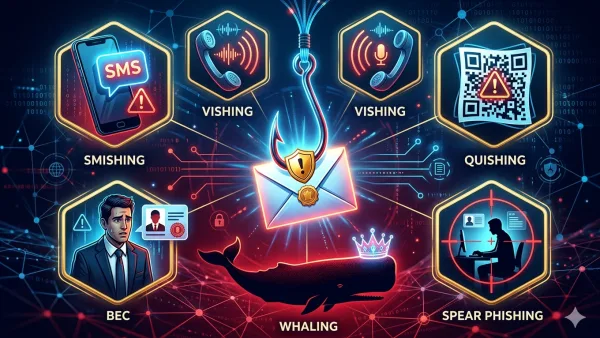
AI-powered phishing has transformed what was already the most common attack vector into something qualitatively more dangerous. Generative AI allows attackers to produce highly personalised phishing emails at scale — emails that reference specific details about the recipient’s business, role, recent activity, and professional relationships that make them appear entirely legitimate. Fifty-three percent of business leaders report that AI is creating new attack points for which they are unprepared, with generative AI phishing (51 percent) and AI voice deepfakes (“vishing”, 43 percent) among the top concerns. The FBI’s Internet Crime Complaint Center recorded 193,407 phishing and spoofing complaints in 2024 — making it the single most reported cybercrime category.
Ransomware-as-a-service has commoditised what was once a technically sophisticated attack into a product that criminal groups can deploy with minimal technical skill. Ransomware prevalence rose 37 percent from 2023 to 2024, and ransomware or extortion now accounts for 44 percent of all data breaches across industries. Modern ransomware gangs practice “double extortion” — stealing customer data before encrypting systems, then threatening to publish it unless additional ransoms are paid. This means that paying the ransom does not eliminate the threat: the stolen data remains in criminals’ hands regardless of whether the ransom is paid.
Foundation One: Multi-Factor Authentication on Everything
If you implement only one security measure from this guide, it should be multi-factor authentication (MFA) on every account that your business uses. MFA is the single most effective defence against the credential-based attacks that account for the majority of business breaches — attacks where criminals obtain a username and password (through phishing, through data breaches of other services where the same password was reused, or through brute-force guessing) and use those credentials to log in to your systems as if they were the legitimate user.
MFA requires users to provide a second factor of authentication beyond username and password — typically a time-limited code from an authenticator app, a push notification to a registered device, or a hardware security key. Even if attackers obtain valid credentials, they cannot log in without access to the second factor. Microsoft’s security research indicates that MFA blocks over 99.9 percent of automated credential-stuffing attacks — the attacks that use databases of stolen credentials to attempt logins across many services simultaneously. This single measure neutralises one of the most common attack vectors against business accounts.
The priority order for MFA implementation: email first (email account compromise allows attackers to reset every other account password, making it the highest-value target), then financial systems (banking, accounting, payment processors), then cloud services (Microsoft 365, Google Workspace, CRM platforms), then any system with access to customer data or administrative functions. Only 20 percent of small businesses have implemented MFA — meaning that enabling it puts you dramatically ahead of most of your competitors in terms of credential attack resistance.
For MFA method selection: authenticator app codes (Google Authenticator, Microsoft Authenticator, Authy) are significantly more secure than SMS-based codes, which are vulnerable to SIM-swapping attacks where criminals convince mobile carriers to transfer your phone number to a device they control. Hardware security keys (YubiKey and similar) provide the strongest available MFA protection and are worth the investment for high-privilege accounts. SMS is better than nothing, but upgrade to an authenticator app wherever the option is available.
Foundation Two: Patch Management — Update Everything, Always
Thirty-eight percent of SMBs cite inability to keep up with software patches and updates as a primary reason they could fall victim to a cyberattack. Unpatched software is one of the most reliably exploited attack vectors in the SMB threat landscape — attackers systematically scan for known vulnerabilities in common software and exploit businesses that have not applied available patches. When a software vendor publishes a security update, that update simultaneously reveals the vulnerability that it fixes. Any system that has not applied the patch becomes a known, exploitable target.
The patch management discipline that prevents the majority of software vulnerability exploitation is straightforward in principle: apply security updates as soon as they are available, on every system. In practice, this requires overcoming the organisational tendency to defer updates to avoid disruption — a trade-off that consistently costs more in breach risk than it saves in update-related downtime. Establishing a policy that security updates are applied within 24-48 hours of release, with a regular monthly maintenance window for other updates, addresses this systematically.
The systems that require patching extend beyond the obvious: operating systems and productivity software, but also web browsers, browser plugins and extensions, network equipment firmware (routers, switches, firewalls), IoT devices connected to the corporate network (printers, smart displays, cameras), and any third-party software your business uses. Network equipment is particularly commonly neglected — business routers with default or unchanged admin passwords and unpatched firmware are trivially compromised by automated scanning tools. Check your router’s manufacturer website for firmware updates and apply them immediately if you have not done so recently.
Foundation Three: Privileged Access and the Principle of Least Privilege
One of the most effective structural defences against the spread of attacks within your network is the principle of least privilege: every user account and system should have access only to the specific resources it needs to perform its designated function, and no more. When an attacker compromises an account with broad access — an administrative account that can install software, access all files, and modify system settings — the blast radius of that compromise is enormous. When they compromise an account with narrow access — able to access only the specific files and systems needed for that employee’s role — the damage is contained.
In practice, this means maintaining separate administrative accounts for IT management tasks (used only for those tasks, never for everyday browsing or email), ensuring that standard user accounts cannot install software without administrative approval, removing access when employees change roles or leave the organisation, and regularly auditing which accounts have access to which systems to identify unnecessary privileges that have accumulated over time. Too many people having access they do not need — and remaining signed into applications they have not used in months — is one of the most consistently cited vulnerabilities in SMB security assessments.
Password management is the complement to access control. The top three reasons SMBs cite for vulnerability to attack include employees reusing or sharing passwords across multiple systems (43 percent). A business password manager — 1Password for Teams, Bitwarden for Business, Dashlane for Business — generates strong unique passwords for every account, stores them securely, allows controlled sharing of credentials between team members without actually revealing the passwords, and provides audit logs of password usage. At $3-$8 per user per month, it is one of the highest-ROI security investments available to any business of any size.
Foundation Four: Email Security and Anti-Phishing Training
Ninety-five percent of cybersecurity breaches are attributed to human error, according to World Economic Forum research. The most common human error in business cybersecurity is clicking on a phishing link or opening a malicious attachment in an email. Email is the primary delivery mechanism for both phishing attacks and malware, and it is the attack vector where human behaviour is the primary defence — which makes employee training the most critical investment in this category.
Technical email security measures provide the first layer of defence. Domain-based Message Authentication, Reporting, and Conformance (DMARC), DomainKeys Identified Mail (DKIM), and Sender Policy Framework (SPF) are email authentication standards that prevent attackers from sending emails that appear to come from your domain — the technique used to impersonate your business in phishing attacks against your customers or partners. These are configured at the DNS level and are free to implement; if your email is managed through Google Workspace or Microsoft 365, ask your administrator or IT provider whether these are configured. Email filtering — both the built-in filters in major email platforms and supplementary tools like Mimecast and Proofpoint — blocks a significant percentage of phishing emails before they reach employees’ inboxes.
Technical measures are insufficient without human training because phishing emails that pass technical filters are the most dangerous kind. Security awareness training that teaches employees to recognise phishing attempts — suspicious sender addresses that look almost like legitimate ones but are slightly different, urgent requests that pressure hasty action, links that point to different domains than the ones they appear to reference — dramatically reduces click-through rates on phishing emails. Regular simulated phishing exercises — sending employees test phishing emails and measuring who clicks — identify the team members who need additional training and demonstrate measurably over time whether training is producing behaviour change. Employees of small businesses experience 350 percent more social engineering attacks than those at larger enterprises; training them to recognise and report suspicious communications is not optional.
The specific behaviours to train: verify unexpected requests for sensitive information or financial transactions through a separate channel (call the person directly using a known phone number, not one provided in the email); hover over links before clicking to verify the destination URL; treat any email creating urgency around financial transfers or credential entry with heightened scepticism regardless of the apparent sender; and report suspicious emails to IT rather than simply deleting them, so that the security team can identify phishing campaigns in progress.
Foundation Five: Backup Strategy That Actually Works
The practical question in a ransomware attack is not “how do we avoid paying the ransom” — it is “do we have clean backups we can restore from without paying?” A robust, tested backup strategy is the most important ransomware mitigation available to any business, because it changes the consequence of a successful ransomware attack from business-ending (pay the ransom or lose everything) to recoverable (restore from backup and resume operations).
The backup strategy that protects against ransomware follows the 3-2-1 rule: three copies of your data, on two different storage media types, with one copy kept offsite (or in cloud storage that is not connected to your main network). The offsite or offline component is critical because ransomware attacks that succeed in encrypting production systems frequently also encrypt or delete backup systems that are connected to the same network. A backup that ransomware can reach is not a ransomware mitigation.
Equally important as having backups is testing them. Fifty percent of small businesses that do not regularly test their backups discover during a crisis that their backup process has been failing silently — producing backup files that cannot be restored. A monthly backup restoration test, verifying that specific files or systems can be successfully recovered from the backup, is the only way to know whether your backup strategy will work when you need it. Backups that have never been tested should be treated as backups that do not exist.
Cloud backup services specifically designed for business data protection — Veeam, Acronis, Backblaze for Business — provide automated backup scheduling, offsite storage, and point-in-time recovery capabilities that allow restoration to a specific moment before the ransomware attack encrypted the data. The cost of these services — typically $30 to $150 per month for a small business — is insignificant relative to the cost of a ransomware attack or permanent data loss.
Foundation Six: Network Security Basics
Your business network — the infrastructure through which all of your data, communications, and transactions flow — requires basic security configuration that many small businesses neglect. The most commonly exploited network vulnerabilities in the SMB sector are default router credentials, unencrypted Wi-Fi, and unsegmented networks that allow attackers who compromise one device to move freely to all others.
Router security starts with changing the default admin credentials — every router model has well-known default username and password combinations that attackers try automatically. Change both to strong, unique values. Apply firmware updates from the manufacturer as soon as they are available. Disable remote management if you do not need to manage the router from outside your premises. Review which devices are connected to your network periodically and remove any that should not be there.
Wi-Fi security requires WPA3 or at minimum WPA2 encryption — never WEP, which is trivially broken by freely available tools. If you have customers or visitors who need Wi-Fi access, provide a separate guest network that is isolated from your business network. A visitor connecting to your business Wi-Fi should not be able to reach your server, your accounting system, or your point-of-sale terminals. Most modern business-grade routers support guest network creation; it typically takes five minutes to configure and eliminates an entire class of network intrusion risk.
Network segmentation — dividing your network into separate segments for different functions (payment systems, administrative systems, guest Wi-Fi, IoT devices) — limits the damage that an attacker can do after compromising one segment. A compromised IoT device on a segmented IoT network cannot reach your payment systems. A compromised guest device cannot reach your internal servers. This is harder to implement than the other measures in this guide and may require professional IT help, but it provides significant additional protection for businesses that handle particularly sensitive data or have substantial IoT devices connected to their network.
The AI-Powered Threat Landscape: What’s Different in 2026
The cybersecurity threat landscape in 2026 is qualitatively different from 2023 because AI has dramatically lowered the skill and cost requirements for sophisticated attacks. Understanding what has specifically changed helps focus defensive investment on the new attack vectors that traditional defences may not fully address.
AI-generated phishing emails are now personalised at scale. Previously, phishing attacks were often identifiable by their generic nature — the same email sent to millions of recipients with no specific reference to the recipient’s situation. AI allows attackers to generate personalised emails referencing the recipient’s company, role, recent LinkedIn activity, publicly known business relationships, and specific details that make the email appear to come from someone who actually knows them. The 54 percent AI click-through rate that some AI-enhanced phishing campaigns achieve reflects the quality of this personalisation. Training employees to verify unexpected requests regardless of how legitimate the email appears is the primary countermeasure.
AI voice deepfakes — vishing attacks — represent a specific and rapidly growing threat. Attackers use AI voice cloning to impersonate executives, customers, or IT staff in phone calls, instructing employees to transfer money, provide credentials, or take other actions that would be refused if requested by a stranger. The countermeasure is establishing internal verification protocols: any request for financial transfer, credential provision, or unusual access made by phone should be verified by calling the requester back at a known, pre-established number — not the number the caller is calling from. Establishing a “safe word” system for senior executives to authenticate high-value requests is increasingly common in security-conscious organisations.
AI-powered attack tools have also accelerated the pace at which attackers identify and exploit software vulnerabilities. Vulnerability databases that previously required human review are now scanned and weaponised by automated AI systems within hours of publication. The window between a vulnerability’s publication and widespread exploitation — which was previously measured in days or weeks — has in some cases compressed to hours. This makes the patch management discipline described above more urgent than ever: vulnerabilities that are not patched immediately are increasingly being exploited before organisations have had time to deploy the patch.
Employee Offboarding: The Security Step Most Businesses Miss
One of the most consistently overlooked cybersecurity vulnerabilities in small businesses is former employees retaining access to business systems after they leave. A disgruntled former employee with active credentials to your email, CRM, cloud storage, or financial systems represents a significant insider threat risk. An ex-employee’s credentials compromised in an unrelated breach — to which your business has no visibility — give attackers persistent access to your systems through a legitimate-seeming account.
The employee offboarding security checklist should be executed on or before the employee’s last day: disable the employee’s access to all business systems (email, cloud services, internal systems, VPN, physical access if applicable), change any shared passwords the employee had access to, revoke MFA devices registered in the employee’s name, transfer ownership of any business-critical files or documents from the departing employee’s account to an appropriate successor, and remove the employee from any external service accounts (social media, vendor portals, contractor accounts) where they were registered as a business representative. This process should be documented, assigned to a specific person, and executed systematically rather than on an ad hoc basis that is easily forgotten in the disruption of an employee departure.
Incident Response Planning: What to Do When an Attack Happens
Sixty percent of cybersecurity efforts in most small businesses are focused on prevention, which is appropriate. But preparation for the event that prevention fails is equally important — and is consistently the domain where SMBs are most dramatically underprepared. Fifty percent of small businesses take 24 hours or longer to recover from a cyberattack, primarily because they have not planned the response in advance and must make decisions under crisis conditions without a roadmap.
An incident response plan does not need to be a lengthy document. It needs to answer four questions clearly enough that anyone in the organisation can execute it without additional decision-making during a crisis: Who do we call first (IT support, cyber insurance provider, legal counsel)? What do we do immediately (isolate affected systems from the network, stop further spread, preserve evidence)? Who needs to be notified and in what order (leadership, affected customers, regulatory authorities if applicable, law enforcement)? How do we continue business operations while the incident is being contained and resolved?
Cyber insurance is an important part of the incident response picture that many SMBs overlook. A cyber insurance policy covers the costs of incident response (forensic investigation, data recovery), business interruption losses, notification and credit monitoring costs for affected customers, legal liability, and in some cases ransom payments or extortion demands. The cost of cyber insurance for a small business typically ranges from $1,500 to $5,000 per year depending on industry and revenue — a fraction of the average cost of a data breach or ransomware attack. Review what your policy covers before an incident, not during one.
The Practical Priority Order: Where to Start
The full cybersecurity programme described in this guide may seem overwhelming for a business owner who is simultaneously managing operations, sales, and finance. The way to make it manageable is to address it in priority order — implementing the highest-impact measures first and building the programme incrementally rather than trying to implement everything simultaneously.
Start this week: enable MFA on email and financial accounts for every person in the business. This single step addresses the most common attack vector and takes less than an hour to implement for a small team.
This month: deploy a business password manager, implement email authentication (DMARC/DKIM/SPF — ask your IT provider or email host to configure these), verify that automatic updates are enabled on all operating systems and key software, and implement the 3-2-1 backup strategy with a cloud backup service. Test one backup restoration.
This quarter: conduct employee security awareness training focused on phishing recognition, audit user account access and remove unnecessary privileges, document your incident response plan, and review cyber insurance coverage. If you have not had a security assessment in the last 12 months, schedule one.
Ongoing: apply patches within 48 hours of release, review access permissions quarterly, test backups monthly, update phishing training when new attack techniques emerge, and conduct an annual security review that reassesses your risk posture against current threats.
The cybersecurity landscape in 2026 rewards consistent, disciplined attention to fundamentals more than occasional investment in sophisticated tools. The businesses that avoid the consequences of cyberattacks are not primarily the ones with the most advanced security technology — they are the ones whose employees know how to recognise phishing, whose accounts require MFA, whose software is kept current, and whose data is backed up reliably. These are not expensive disciplines. They are disciplined ones.




0 Comments
No comments yet. Be the first to share your thoughts!