
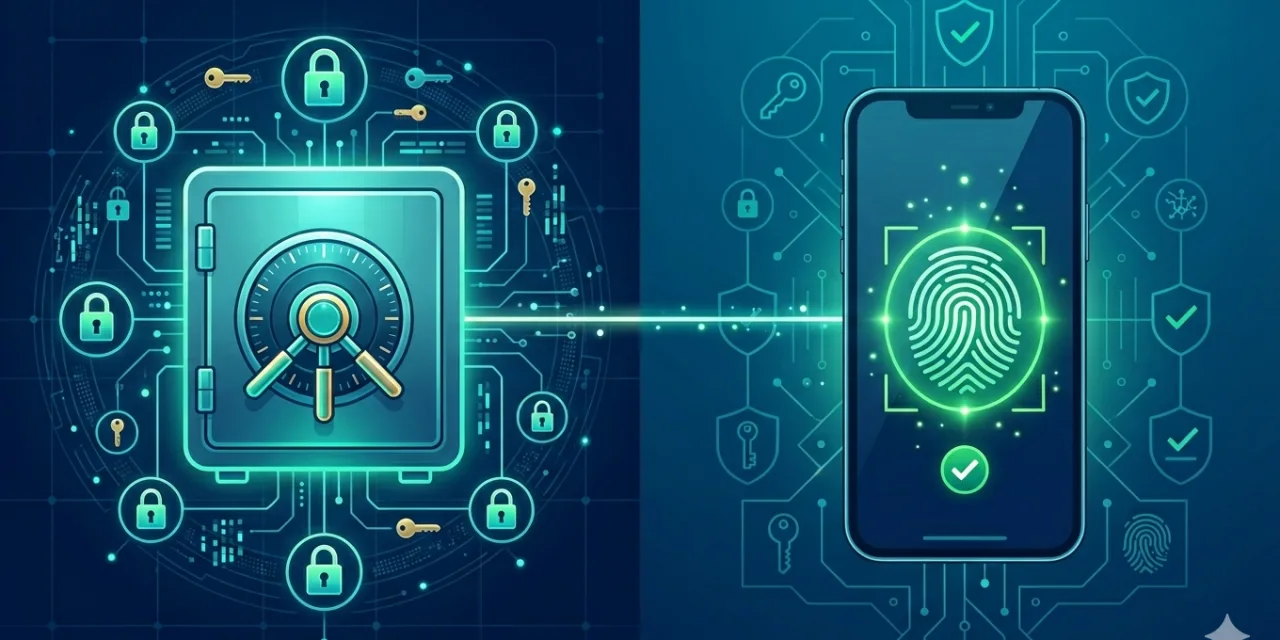
The average person manages somewhere between 20 and 50 online accounts. The average person’s password across those accounts is some variation of a word they can remember, a number that means something to them, and perhaps a symbol appended to satisfy a complexity requirement. A security researcher analysing over 19 billion leaked passwords found that just 6 percent were unique — meaning 94 percent of all passwords in that dataset were reused or weak, dramatically increasing the risk of credential compromise. A Forbes Advisor survey of 2,000 Americans found that 35 percent of account compromises resulted from weak passwords, 30 percent from password reuse across multiple sites, and 21 percent from phishing attacks targeting password information. These three causes share a single root: the fundamental insecurity of the password model itself.
Passwords are shared secrets. When you log in with a password, you and the service both know the same string. That string can be phished — someone tricks you into entering it on a fake site. It can be leaked in a breach — the service’s database is compromised and your password hash is cracked. It can be reused — the same password you used on a breached site works on your email account, your bank, your work system. It can be stolen by malware — keyloggers record it as you type. The fundamental problem with passwords is not that people use bad ones. The fundamental problem is that any password model requires transmitting and storing a shared secret, and shared secrets can be stolen.
The response to this problem takes two forms in 2026. The near-term solution — essential for managing the hundreds of accounts that still require passwords — is a password manager: software that generates genuinely random, unique passwords for every account, stores them encrypted behind a single master password, and fills them in automatically so that you never need to remember, type, or think about them. The longer-term solution — now in mainstream deployment and accelerating rapidly — is passkeys: a technology that eliminates passwords entirely, replacing them with cryptographic credentials that cannot be phished, stolen, or reused. This guide covers both: what they are, how they work, which password managers are worth using, how passkeys work technically, what the adoption landscape looks like in 2026, and how to build the most secure authentication posture available today.
Why Passwords Keep Failing: The Security Math
Before addressing the solutions, it helps to understand precisely why the current state of password security is as bad as the statistics suggest — because the failure is structural, not just behavioural, and understanding the structure explains why better tools matter more than better habits.
The standard advice for decades was to use complex passwords: mix uppercase and lowercase letters, numbers, and symbols, and change them every 90 days. This advice has been formally deprecated. NIST’s Special Publication 800-63B — the definitive US government guidance on digital identity — no longer recommends mandatory complexity requirements or periodic rotation without evidence of compromise. The reason is that the complexity advice produced predictable human responses: people converted simple words into predictable patterns (password becomes P@ssw0rd), changed only the last character or digit to satisfy rotation requirements, and wrote passwords down or reused them because genuinely complex, unique passwords for dozens of accounts exceed human memory capacity.
Modern GPU-accelerated password cracking can test 180 billion passwords per second against weak hashing algorithms. Against unsalted MD5 hashing, an eight-character mixed-case password with digits and symbols is cracked in minutes. The response recommended by current security guidance is password length, not complexity: a 20-character lowercase password achieves 94 bits of entropy — stronger than an eight-character password using every character type. Length adds entropy exponentially; adding character types adds it logarithmically. A passphrase of four or five random words — “correct horse battery staple” is the canonical example — is both more memorable and more resistant to brute-force attacks than most complex eight-character passwords.
But the more important insight is this: even the strongest password in the world fails completely if it appears in a breach database, if it is reused on a breached service, or if it is entered on a phishing site. The strength of an individual password is secondary to the uniqueness and the resistance-to-phishing of the authentication method — and this is exactly what both password managers and passkeys are designed to address.
Password Managers: The Essential Tool for Today’s Credential Reality
A password manager solves the core practical problem of password security: humans cannot remember unique, strong passwords for dozens or hundreds of accounts, but security requires exactly this. A password manager generates genuinely random passwords — 20 or more characters of complete randomness — for every account, stores them in an encrypted vault accessible through a single master password, and fills them in automatically when you visit the relevant site. The result is that every account has a different, strong password without any memorisation burden on the user.
The concern most people have about password managers — that they create a single point of failure, so that if the manager is breached, every account is compromised — reflects a misunderstanding of how they work. Reputable password managers use zero-knowledge architecture: the provider never sees your passwords or your master key. Your vault is encrypted on your device using your master password before any data is transmitted to the provider’s servers. Even if the provider’s servers are completely compromised, the attacker receives only an encrypted vault — unreadable without your master password, which only you know. The practical risk of a reputable password manager being breached and yielding usable credentials is far lower than the near-certainty of credential compromise from password reuse across dozens of accounts without a manager.
The notable exception to this security model is LastPass, which disclosed in December 2022 that attackers had obtained encrypted password vaults from a prior breach. While the vaults remain encrypted by users’ master passwords, the incident illustrated that vault storage architectures matter and that provider security practices are a genuine differentiator between password managers. LastPass’s track record — breaches in 2015, 2021, and 2022 — makes it difficult to recommend despite its widespread adoption.
The password managers that security researchers consistently recommend in 2026 share a set of characteristics: zero-knowledge encryption architecture (AES-256 is the standard, with some providers using XChaCha20), independent third-party security audits, strong master password protection with MFA on the vault itself, cross-device synchronisation, automatic breach monitoring (alerting you when a stored password appears in a known breach database), and — increasingly important — passkey storage and management as the authentication landscape evolves.
1Password remains one of the most comprehensive options for both individuals and families. Its Watchtower feature continuously monitors stored passwords against breach databases and flags weak, reused, or compromised credentials for remediation. The Travel Mode feature allows users to hide sensitive vaults from the device during border crossings or device inspections — a genuinely unique capability with real use cases. 1Password supports passkey storage alongside passwords, positioning it as a bridge tool during the transition period. It passed independent third-party audits and has maintained a clean breach record. Pricing starts at around $3 per month for individuals.
Bitwarden is the strongest recommendation for users who prioritise transparency and value. As an open-source password manager, its code is publicly available for inspection — a meaningful trust advantage over closed-source alternatives. It uses AES-256 encryption and zero-knowledge architecture and has never experienced a significant security breach. The free plan is genuinely capable, including passwordless login via passkeys. The premium plan at $1.65 per month adds breach monitoring, advanced 2FA support, and emergency access. For users willing to self-host, Bitwarden can be deployed entirely on your own infrastructure.
NordPass differentiates with XChaCha20 encryption — a modern cipher that some cryptographers consider more robust than AES-256 for certain use cases — alongside zero-knowledge architecture and independent audits. It handles passkeys, includes breach scanning, and offers a clean interface that security researchers who are new to password managers find particularly accessible.
Apple Passwords (formerly iCloud Keychain), Google Password Manager, and Microsoft Authenticator deserve mention as capable, deeply integrated options for users who remain within their respective ecosystems. All three support passkey synchronisation across devices, are free, and require no additional setup beyond what most users already have. Their limitation is ecosystem lock-in: Apple Passwords works seamlessly on Apple devices but creates friction on Windows or Android, and vice versa. For users who move between platforms, a cross-platform dedicated password manager is the better choice.
How to Use a Password Manager Effectively
Installing a password manager delivers its security benefit only when it is actually used for every account — not just for the accounts you think are important. The most common failure mode is treating the password manager as a convenience tool for frequently visited sites while continuing to reuse simple passwords elsewhere. An attacker who obtains credentials from a low-value forum account you have not updated in three years will try them on your email, your bank, and your employer’s systems — credential stuffing attacks are automated and comprehensive.
The single most important action after installing a password manager is a credential audit: use the manager’s health monitoring feature (Watchtower in 1Password, the Vault Health Reports in Bitwarden) to identify all reused, weak, or breached passwords and replace them with manager-generated unique passwords, starting with your most sensitive accounts (email, financial services, work systems) and working systematically through the rest. This process is tedious but necessary: the security benefit of the password manager is proportional to the completeness with which it is adopted.
Your master password is the one password that must be strong enough to protect everything else. It should be a passphrase of at least four random words — genuinely random, not a meaningful phrase from your life that a determined attacker could guess — at 20 or more characters of total length. It should be protected by multi-factor authentication on the password manager application itself. And it should be memorised, not written down in a digital location where it could be compromised.
The automatic fill behaviour of password managers provides a significant security benefit beyond the strong-password generation: a properly configured password manager will only fill credentials on the exact domain they were saved for. If you visit paypa1.com instead of paypal.com, your password manager will not offer to fill your PayPal credentials — because the domain does not match. This silent phishing resistance is one of the most underappreciated security benefits of password managers and one of the strongest arguments for choosing a dedicated manager over browser-based credential storage, which does not always enforce the same domain-matching rules.
What Passkeys Are and Why They Change Everything
Passkeys are the authentication technology that eliminates the fundamental weakness of passwords — the shared secret — by replacing it with public-key cryptography. In March 2026, Security Boulevard reported that passkeys had “hit critical mass,” with Microsoft auto-enabling passkey support for millions of accounts through Entra ID (disclosed in Message Center notification MC1221452 in January 2026), 87 percent of companies deploying passwordless authentication in some form, and the FIDO Alliance reporting that 15 billion online accounts were passkey-enabled by the end of 2024 — more than double the figure a year earlier. The question in the industry is no longer whether passkeys will replace passwords but how quickly the transition will complete.
The technical foundation of passkeys is FIDO2 — an open standard developed by the FIDO Alliance and adopted by the World Wide Web Consortium as WebAuthn. FIDO2 defines how devices (browsers, operating systems, applications) create and use public-key credentials to authenticate users without passwords. Here is how the process works in practice: when you create a passkey for a website, your device generates a unique cryptographic key pair. The private key is stored in a secure hardware element on your device — Apple’s Secure Enclave, a Trusted Platform Module (TPM) on Windows, or a dedicated security chip on Android — and never leaves. The public key is sent to the website’s server and stored there. When you subsequently log in, the website sends a challenge to your device, your device signs it with the private key after verifying your identity through biometrics or device PIN, and the signed challenge is returned to the server. The server verifies the signature using the stored public key and grants access. At no point does a password — a shared secret — travel across the network or exist in a form that can be stolen.
The security implications of this architecture are substantial. Passkeys cannot be phished: the private key is cryptographically bound to the specific domain it was created for, so a passkey created for google.com will not function on g00gle.com — the domain mismatch is detected at the cryptographic level, not through user attention. Passkeys cannot be stolen in database breaches: servers store only public keys, which are mathematically useless to an attacker without the corresponding private key that never leaves the user’s device. Passkeys cannot be reused: each passkey is unique to the specific service it was created for. And passkeys are resistant to credential stuffing attacks: there are no passwords to stuff.
The FIDO Alliance’s own data shows that passkeys result in 20 percent more successful sign-ins than passwords — not just because they are more secure, but because the experience is genuinely faster and simpler. Sign-in times drop by over 80 percent compared to traditional password entry. There is nothing to type, nothing to forget, and nothing to reset. The 75 percent of global consumers who are now aware of passkeys, and the 38 percent who report enabling them whenever possible, have discovered a consistent pattern: passkeys are not just safer than passwords, they are more pleasant to use. A passkey login on a supported site is a tap on a fingerprint sensor or a glance at a face recognition camera — instant, frictionless, and cryptographically secure.
Synced vs Device-Bound Passkeys: Understanding the Distinction
In 2026, passkeys come in two forms that have meaningfully different security and usability characteristics, and choosing between them — or understanding which applies to your situation — matters for building a coherent authentication strategy.
Synced passkeys are stored in a cloud credential manager — iCloud Keychain for Apple devices, Google Password Manager for Android and Chrome, or a cross-platform password manager like 1Password or Bitwarden — and synchronised across your devices through end-to-end encrypted cloud sync. Create a passkey on your iPhone, and it is automatically available on your Mac and iPad. This solved the biggest practical barrier to passkey adoption: the fear that losing your phone would lock you out of every account with a passkey. With synced passkeys, the credential exists on every device in your ecosystem and can be recovered through your account if all devices are lost. The trade-off is that synced passkeys cannot provide cryptographic proof (attestation) of the specific hardware they reside on, which matters in enterprise environments with strict compliance requirements.
Device-bound passkeys are stored on a single hardware device — a security key like a YubiKey, or a device with strict attestation enforcement — and do not sync. They provide the highest level of assurance (NIST’s AAL3, the highest Authenticator Assurance Level) because the credential is bound to specific hardware whose integrity can be cryptographically proven. The limitation is exactly what it sounds like: if the device is lost or stolen, the passkey is gone and account recovery must happen through alternative means. Device-bound passkeys on hardware security keys are most appropriate for privileged enterprise accounts, administrative access, and other high-value accounts where the risk of credential compromise materially exceeds the inconvenience of the recovery process.
NIST’s updated Digital Identity Guidelines formally recognise synced passkeys as meeting the requirements for multi-factor authentication — a significant regulatory milestone that removes a key barrier to enterprise adoption. Synced passkeys combine “something you have” (the device) with “something you are” (the biometric) or “something you know” (the device PIN) in a single, seamless authentication event, satisfying the multi-factor requirement without the inconvenience of a separate MFA step.
Where Passkeys Are Available in 2026
As of 2026, passkeys are supported by all major platforms and browsers, and by a rapidly expanding list of consumer and enterprise services. On the platform side: iOS 16 and later, macOS Ventura and later, Android 9 and later, and Windows 11 all support passkey creation and storage. Chrome, Safari, Edge, and Firefox all implement the WebAuthn API required for passkey authentication on websites. Microsoft is making passkeys the default authentication method for new accounts and has auto-enabled passkey support across its enterprise identity platform.
On the service side, passkeys are available at Google, Microsoft, Apple, PayPal, Amazon, GitHub, X (formerly Twitter), Adobe, Nintendo, Best Buy, and hundreds of other consumer services. The FIDO Alliance’s Passkey Directory (passkeys.directory) maintains a current list of services with passkey support. For enterprise environments, leading identity providers including Okta, Microsoft Entra ID, Auth0, and Ping Identity have all rolled out production-ready passkey implementations. The 87 percent enterprise deployment figure from Security Boulevard’s March 2026 analysis reflects the pace at which passkeys have moved from IT security team pilots to organisation-wide authentication infrastructure.
The regulatory environment is adding urgency. The UAE Central Bank mandated that financial institutions eliminate SMS-based one-time passwords by March 2026. India and the Philippines have implemented similar deadlines. The US Patent and Trademark Office discontinued SMS authentication entirely in May 2025. These mandates reflect the security community’s long-standing conclusion that SMS-based authentication — the most commonly deployed form of two-factor authentication — is vulnerable to SIM-swapping attacks, SS7 protocol exploitation, and increasingly to social engineering of carrier support staff. Passkeys, being phishing-resistant and SIM-swap-immune by design, represent the regulatory response to the demonstrated inadequacy of SMS OTP.
The MFA Landscape: Ranking Authentication Factors from Weakest to Strongest
Passkeys represent the gold standard of authentication strength, but the MFA landscape in 2026 spans a wide range of options with meaningfully different security characteristics. Understanding where each method sits in the security hierarchy helps make decisions about which to use and which to retire.
SMS one-time passwords (OTPs) are the most widely deployed second factor and the weakest worth using. They are vulnerable to SIM-swapping (attackers convince a carrier to transfer your phone number to their SIM), SS7 protocol interception (a technical exploit affecting the telephone network infrastructure), and real-time phishing (attackers relay the OTP from a fake site to the real site within its validity window). SMS OTPs are better than nothing but should be replaced by stronger alternatives wherever possible.
Time-based OTP (TOTP) apps — Google Authenticator, Authy, Microsoft Authenticator, and similar — generate six-digit codes that change every 30 seconds based on a shared secret between the app and the service. They are significantly more secure than SMS because they do not depend on the phone network and cannot be SIM-swapped. However, TOTP codes can still be relayed in real-time phishing attacks: an attacker’s fake site can capture the code you entered and use it against the real site before it expires. TOTP is strong enough for most consumer accounts and should be preferred over SMS wherever both are available.
Hardware security keys (FIDO2/WebAuthn security keys such as YubiKey) provide the strongest form of authentication outside of passkeys. They are phishing-resistant by design — the key is cryptographically bound to the specific origin it was registered for and will not respond to authentication requests from any other domain. They require physical possession of the key, making remote attacks essentially impossible. Hardware security keys are most appropriate for the most sensitive accounts — email, financial services, administrative systems — and are the recommended MFA method for anyone at elevated risk of targeted attack.
Passkeys provide phishing resistance equivalent to hardware security keys while being significantly more convenient — they are built into the devices you already own and require only biometric verification or a device PIN. For most users and most accounts, a synced passkey is now the optimal authentication method: more secure than any password-plus-OTP combination, more convenient than any hardware token, and increasingly available across the services where security matters most.
The Transition Period: Running Passwords and Passkeys Together
The passwordless future is not a future state that arrives on a specific date — it is a transition that is already underway and will be managed incrementally over several years. As of 2026, passkeys are the right choice for every account that supports them, but approximately 40 percent of services still rely on legacy authentication systems that have not yet integrated passkey support. The practical reality is that most people and most organisations need to manage both passwords and passkeys for the foreseeable future.
Password managers are adapting to this reality. The leading managers — 1Password and Bitwarden most prominently — are building passkey storage and management into their core feature sets, positioning themselves as credential managers for the full authentication spectrum: passwords for services that require them, passkeys for services that support them, TOTP codes for services that use software-based MFA, and increasingly the orchestration logic that decides which credential type to offer for each service. The role of the password manager is not being eliminated by passkeys — it is evolving from password vault to universal credential manager.
The practical strategy for 2026 is a clear priority ordering. Enable passkeys on every account that supports them, starting with your most sensitive accounts: email, financial services, work systems, social media. For accounts that do not yet support passkeys, use a manager-generated unique password with TOTP app-based MFA (not SMS). Audit your existing credentials using your password manager’s health monitoring to identify and replace reused or weak passwords. And maintain your password manager with a strong master password protected by MFA on the manager application itself.
This strategy addresses every major credential attack vector currently active in the wild. Unique passwords managed by a zero-knowledge password manager defeat credential stuffing. TOTP app-based MFA defeats most credential-based account takeover. Passkeys defeat phishing, including the sophisticated real-time relay attacks that defeat TOTP. The layered approach — passkeys where available, strong unique passwords with app-based MFA elsewhere — provides meaningful protection against the category of attack that accounts for 80 percent of data breaches: compromised credentials.
Account Recovery: The Weak Link You Must Plan For
The strongest authentication system fails catastrophically if the account recovery mechanism is weak — and account recovery is the dimension of password and passkey security that most people give the least attention. A passkey that is only stored on a single device that is subsequently lost, stolen, or destroyed can lock the user out of their account permanently if no recovery path was established in advance.
The practical requirements for account recovery planning are straightforward but must be addressed proactively. For password-managed accounts, ensure that your password manager vault is backed up (most cloud-based managers handle this automatically through encrypted sync) and that you have access to recovery codes for any accounts using hardware security key-based MFA. Store those codes in your password manager or in a physically secure offline location — not in a plaintext file on your computer.
For passkey-enabled accounts, the recovery question is more nuanced. Synced passkeys can be recovered through the cloud account that manages them (iCloud, Google Account, or your password manager account), but this creates a dependency on the security of that cloud account — which should itself be secured with the strongest available authentication. Registering passkeys on multiple devices provides the most robust recovery posture: if one device is lost, others retain the credential. Most services that support passkeys also retain backup authentication methods — often TOTP codes or backup codes — that should be enabled and stored securely even after passkeys are established as the primary authentication method.
The FIDO Alliance and major platform providers are developing the Credential Exchange Protocol (CXP) to standardise cross-platform passkey transfer — addressing the scenario where a user needs to move passkeys from one ecosystem to another (iPhone to Android, for example) without losing access. As of 2026, this standard is in active development, with Apple, Google, and Microsoft all participating. It represents the next significant step in making passkeys as frictionless for recovery as they are for authentication.
What the Passwordless Future Looks Like
The trajectory from passwords to passkeys in 2026 is not speculative — it is well underway and accelerating. The FIDO Alliance projects that between 2026 and 2027, passkey adoption will become standard for consumer applications. Between 2028 and 2030, passwords will be relegated to legacy fallback status rather than primary authentication methods. Beyond 2030, passwords will be historical artefacts — still supported for legacy systems, rarely used, and gradually deprecated even in the domains where they have been most entrenched.
The business case for this transition is not primarily about security — though the security case is overwhelming. It is about cost and user experience. Organisations implementing passkeys have reported a 32 percent reduction in password reset tickets — one of the most significant drains on IT support resources in most enterprises. HubSpot reported a 25 percent improvement in login success rates and login times four times faster with passkeys. Air New Zealand reported a 50 percent reduction in login abandonment. The combination of better security and better user experience is the rare case in security where the right answer and the convenient answer are the same answer.
For individuals, the path to the passwordless future is available right now: install a password manager, enable MFA everywhere, and set up passkeys on every service that offers them. The tools exist. The services are there. The regulatory pressure is building. The transition from the password era to the passkey era is the most significant shift in authentication security since the web became commercial — and unlike most security improvements, this one makes your digital life simultaneously safer and simpler. That combination does not come along often. Use it.


0 Comments
No comments yet. Be the first to share your thoughts!