
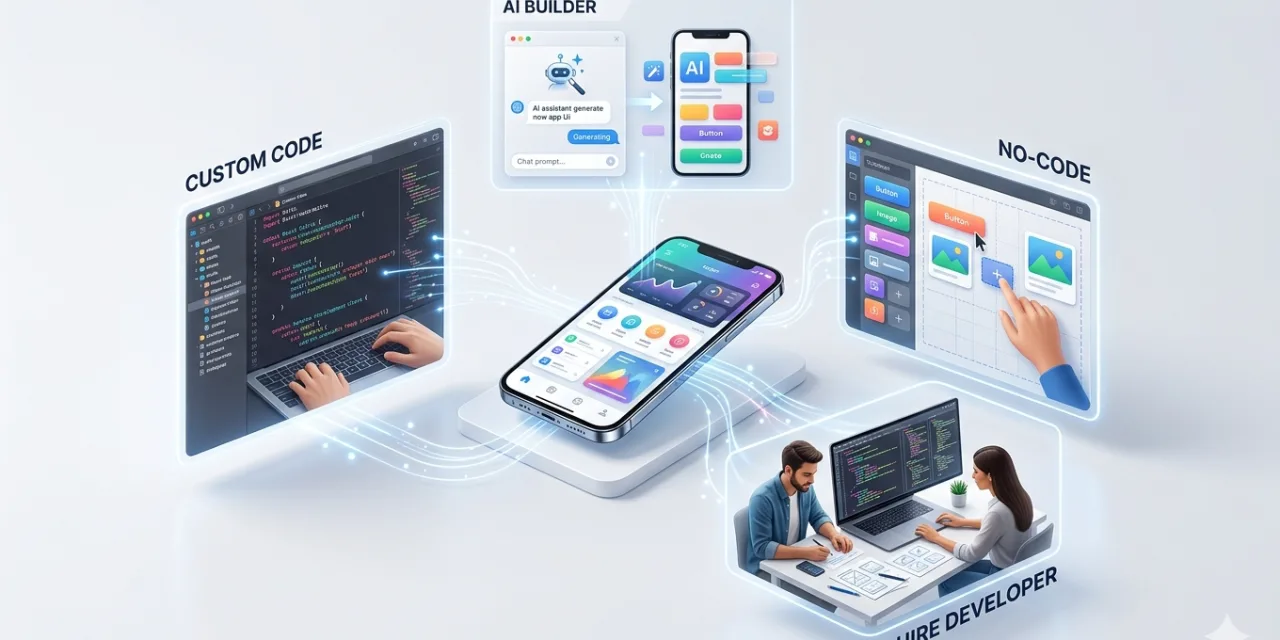
The average smartphone user has 80 apps installed and actively uses 9 of them. That gap — 71 apps gathering digital dust while nine do the actual work — is the central problem with most “best apps” guides: they list everything interesting rather than the things you will still be opening six months from now. The apps that earn permanent spots on home screens in 2026 are not the most impressive feature lists or the most talked-about launches. They are the ones that solve a real, daily problem reliably, without demanding your attention or your subscription budget in ways that exceed their value.
This guide was built around one test: would I still be using this app in six months? The strongest all-round picks that pass that test across both iPhone and Android are ChatGPT, Notion, Google Photos, Bitwarden, Revolut or Wise, Google Maps, Todoist or TickTick, Canva, Spotify, and Signal. These cover AI assistance, knowledge management, photo storage, password security, money management, navigation, task management, creative work, music, and private messaging — the ten roles that matter most in daily phone use. Every app on this list works well on both iPhone and Android, has a usable free tier or a clearly justified paid option, and has earned its place through sustained quality rather than recent hype.
Here is the complete breakdown, organised by role, with honest assessments of what each app does, who it is best for, what its real limitations are, and whether the paid version is genuinely worth it.
AI Assistant: ChatGPT — iPhone and Android
Free | Plus $20/month | Best for: Writing help, research, coding, creative tasks, voice conversation
ChatGPT remains the most capable and most versatile AI assistant available on mobile in 2026. The GPT-5.4 model powering the app handles a wider range of tasks than any competing AI — writing and editing, research synthesis, code explanation, language translation, creative brainstorming, and data analysis all function at a level that makes the app genuinely useful across a day’s worth of different needs. The voice mode — which allows natural spoken conversation with the AI rather than typed prompts — has matured to the point where it is the best AI voice assistant available on any platform, with natural pacing, contextual awareness, and the ability to follow complex spoken instructions without degrading to robotic responses.
The free tier provides access to GPT-5.4 with usage limits that are adequate for occasional use — approximately ten to fifteen substantive queries per day before hitting the cap. Plus at $20 per month removes the limit and adds Deep Research (autonomous web research across multiple sources), image generation via DALL-E, and expanded memory that lets the app build a persistent understanding of your preferences and context across sessions. For anyone who uses the app more than casually, Plus is worth the cost.
Honest limitation: ChatGPT’s knowledge cutoff means it may have outdated information on fast-moving topics, and the Plus plan’s Deep Research feature — while powerful — can take several minutes to complete, making it unsuitable for quick questions. Claude is a strong alternative for pure writing quality and instruction-following precision.
Knowledge Management: Notion — iPhone and Android
Free | Plus $10/month | Best for: Notes, project management, knowledge base, writing drafts, personal wikis
Notion is the most flexible productivity app available on mobile — part note-taker, part project manager, part personal wiki, part writing environment. Its block-based structure allows building everything from simple daily notes to complex project management systems to shared team knowledge bases within the same interface, without requiring different tools for different use cases. The mobile app has improved significantly in 2026, with faster loading, better offline support, and an AI writing assistant built into every document that can summarise, rewrite, generate first drafts, and answer questions about document content without leaving the app.
The free tier is genuinely useful for personal use: unlimited pages, unlimited blocks, and AI access up to a monthly limit that covers typical personal note-taking needs. The Plus plan at $10 per month adds unlimited AI usage, version history, and unlimited file uploads — worth it for heavy users or anyone using Notion for significant work documents. Keep the system simple: the most common Notion mistake is building elaborate systems that require maintenance overhead exceeding the productivity benefit they provide. Install it, start with one workspace for notes and one for projects, and add complexity only when the simple version consistently proves insufficient.
Honest limitation: Notion’s flexibility is also its friction — building anything sophisticated requires upfront setup investment that simpler note apps do not. For people who want notes without setup, Apple Notes (iPhone) or Google Keep (Android) are faster. Notion earns its place when you need structure across multiple types of content.
Password Security: Bitwarden — iPhone and Android
Free | Premium $10/year | Best for: Password management, passkey storage, secure credential sharing
Bitwarden is the best password manager available in 2026, and its free tier is the most generous of any password manager — supporting unlimited devices, unlimited password and passkey storage, and autofill across every app and website without any paywall. With over 5 million downloads on the Google Play Store alone and a 4.8 rating across 98,000 reviews, it has earned its position as the community favourite for people who want proper security without paying for it. Its open-source architecture — where both client-side code and core server code are publicly auditable — provides a level of transparency that closed-source alternatives including 1Password and LastPass cannot offer. Security researchers and the user community can review the code, making vulnerabilities more likely to be identified and disclosed early.
The autofill experience on both iPhone and Android is seamless: Bitwarden integrates with the system autofill framework on both platforms, offering password suggestions in any app or browser the same way native credential managers do. The password generator creates strong, unique passwords for every new account; the breach monitoring feature (on Premium) alerts you when credentials associated with your email appear in known data breaches. At $10 per year for Premium — the lowest price of any premium password manager tier — the upgrade is straightforwardly worth it for the TOTP (two-factor authentication code) generation, emergency access features, and advanced breach monitoring.
Honest limitation: Bitwarden’s interface is functional but less polished than 1Password’s. For users who value design and workflow refinement over cost and open-source transparency, 1Password at $36/year is the premium alternative. For everyone else, Bitwarden is the correct choice.
Private Messaging: Signal — iPhone and Android
Free | Best for: Private, end-to-end encrypted messaging and calls
Signal is the gold standard for private communication in 2026 — end-to-end encrypted by default for all messages, calls, and video, with a non-profit structure that removes the commercial incentive to monetise user data that drives every major social messaging platform. Signal collects essentially no metadata: it cannot tell law enforcement who you messaged, when, or how often, because it does not store that information. For anyone whose communications involve sensitive professional content (journalists, lawyers, healthcare providers, financial advisors), personal privacy concerns, or simply a preference for communication that is not being processed for advertising purposes, Signal is the non-negotiable choice.
Signal’s features have expanded significantly since its early years. Disappearing messages (configurable per conversation), note-to-self for private journaling, Stories, group calls, and a growing range of customisation options have made it a fully functional daily messaging app rather than a specialist privacy tool. The primary adoption barrier is network effects: Signal is only as useful as the number of your contacts who also use it. The easiest approach is to install it and set it as your default SMS app on Android — it handles regular SMS for contacts who aren’t on Signal and encrypted messages for those who are, making the transition frictionless. On iPhone, iMessage handles unencrypted messages natively, so Signal is an additional install for contacts you want fully private communication with.
Honest limitation: Network effects mean Signal is most valuable when your contacts are on it. For contacts who won’t switch, WhatsApp (end-to-end encrypted but Meta-owned with metadata collection) or iMessage (Apple’s ecosystem only) are the practical alternatives.
Budgeting and Money: YNAB — iPhone and Android
$14.99/month or $99/year | Best for: People serious about changing their relationship with money
YNAB (You Need a Budget) is the most effective budgeting app available in 2026 and — critically — one of the few apps whose premium price is consistently described by users as genuinely worth it. Its approach is distinct from transaction tracking apps like Mint: rather than simply categorising past spending and showing you what happened, YNAB requires you to assign every dollar a job before you spend it — giving each dollar of income a specific purpose (rent, groceries, savings, fun money) rather than discovering what you spent it on after the fact. This “zero-based budgeting” approach consistently changes users’ financial behaviour in ways that passive transaction tracking does not, which is why YNAB users report saving an average of $600 in their first two months and over $6,000 in their first year.
The mobile app is the primary interface for most users: checking your budget before a purchase, recording transactions immediately, and reviewing category balances in real time. The 34-day free trial is long enough to genuinely evaluate whether the approach works for your financial habits before committing. For users who find YNAB’s methodology overkill, Revolut or Wise are strong alternatives for the international money management and lower-friction spending tracking use cases. Google Sheets or a simple spreadsheet is a free alternative for users who want zero-based budgeting without the subscription cost.
Honest limitation: YNAB has a meaningful learning curve — the methodology requires understanding before the benefit materialises. Users who don’t invest time in learning the system often give up before seeing results. The 34-day trial and YouTube tutorial ecosystem are essential resources for getting started effectively.
Task Management: TickTick — iPhone and Android
Free | Premium $27.99/year | Best for: Daily task management, reminders, habit tracking, Pomodoro focus sessions
TickTick is the task management app that does the basics better than nearly any alternative while adding enough depth to grow with increasing complexity — without the overwhelming learning curve of more ambitious productivity systems. Tasks with due dates and priorities, recurring reminders, subtasks, natural language input (“call dentist tomorrow at 3pm” creates a correctly dated and timed task automatically), and a clean inbox for capturing everything immediately are its foundation. The built-in Pomodoro timer for focus sessions, habit tracker for daily goal streaks, and Android home screen widgets that show tasks without opening the app are genuine additions that make the premium tier ($27.99/year) worth considering for anyone who uses the app as their primary task system.
Its 2026 Android update introduced improved offline sync, better widget customisation, and AI-powered task suggestions that analyse calendar events and suggest associated tasks — a genuinely useful feature rather than a cosmetic AI addition. For users already invested in the Apple ecosystem, Reminders has improved significantly enough to handle most personal task management needs without a third-party install. TickTick earns its position for users on multiple platforms or those who want Pomodoro and habit tracking integrated with their task system.
Screen Time: One Sec — iPhone and Android
Free | Pro $20/month or $100/year | Best for: Breaking compulsive phone use habits without hard blocks
One Sec is the screen time app that actually works, according to independent hands-on testing by WhistleOut’s mobile experts. The approach is deliberately not a hard block — instead of preventing access to distracting apps, One Sec interrupts the muscle-memory tap that opens them by inserting a mandatory one-breath pause and showing you how many times you have already tried to open that app today. Seeing “you’ve already tried to open YouTube 47 times today” before each attempt is often enough to make the next attempt conscious rather than reflexive. In a month of testing, WhistleOut found their screen time measurably dropping — not because One Sec made doomscrolling impossible, but because it made it intentional, and most of the time the intention wasn’t really there.
The free version is limited to targeting one app at a time — enough to test the approach, but insufficient for comprehensive use. The Pro plan at $20 per month is significant relative to what the app does, and the $100 annual option reduces the effective monthly cost. For users who find the price prohibitive, Screen Time on iPhone (free, built in) and Digital Wellbeing on Android (free, built in) offer cruder but free alternatives with app timers and usage dashboards. One Sec earns its premium price for users who have found that hard blocks are easily circumvented but want something subtler than the built-in options provide.
Photo and Video: Google Photos — iPhone and Android
Free (15 GB) | Google One from $1.99/month | Best for: Photo backup, search, editing, memory sharing
Google Photos remains the most capable photo management app on any platform — its AI-powered search (finding specific faces, places, objects, or moments from years of photos in seconds), automatic backup, and Memories features have no meaningful competitor in the free tier. The 15 GB of free storage shared across Google services handles years of photo and video storage for most users before the paid tier becomes necessary. The editing tools are competent for quick adjustments; the shared albums and memory sharing features are the most frictionless way to share photo collections with family members. For iPhone users who prefer staying in the Apple ecosystem, iCloud Photos with the iPhone’s camera app provides an excellent alternative. For Android users, Google Photos is effectively the default choice.
Photo Editing: Snapseed — iPhone and Android
Free | Best for: Professional-quality photo editing without Lightroom complexity or cost
Snapseed by Google is the best free photo editing app available on either platform — combining professional-grade selective adjustment tools (adjust exposure, colour, and detail in specific parts of an image rather than globally), over 29 filters, RAW file support, and a non-destructive editing stack that lets you revisit and adjust any previous edit without quality loss. Its “selective” tool — which allows painting precise adjustments onto specific image regions — makes it powerful enough for genuinely demanding editing work, while its streamlined interface keeps it approachable for casual users who just want better-looking photos quickly. It has been consistently recommended by professional photographers as the best free mobile editing option available, and that status has not changed in 2026.
Navigation: Google Maps — iPhone and Android
Free | Best for: Navigation, business discovery, transit, offline maps
Google Maps needs no extended review — it is the default navigation app on most of the planet for good reason. Its 2026 updates have added more detailed real-time transit information, improved augmented reality walking navigation (Live View) with landmark-based guidance that works even in unfamiliar urban areas, and EV charging station routing that integrates directly with charging network reservation systems. For drivers who want community-sourced real-time traffic intelligence — police speed traps, road hazards, the most accurate alternative-route suggestions — Waze remains the stronger option. For all other navigation and business discovery needs, Google Maps is the correct choice.
The One-App-Per-Role Principle
The most important principle for phone app management in 2026 is not finding the best apps — it is resisting the temptation to install two apps for the same role “just in case.” Installing both TickTick and Todoist means never building muscle memory with either. Installing both Notion and Obsidian means your notes are scattered across two systems neither of which is complete. Installing ChatGPT, Claude, and Gemini on the same device is entirely reasonable if you have genuinely different use cases for each — but most users do not, and having three AI apps means treating each one casually rather than developing the prompting habits that make any one of them genuinely powerful.
Install one app per role. Give it seven days of genuine use before evaluating whether it works. Uninstall monthly anything that has not been opened in two weeks. The phones with 80 apps installed and 9 in daily use are not the product of people who found too many good apps — they are the product of never doing the uninstall. Clean phone, clear mind: the principle is simple and the practice is harder than it sounds, but the users who follow it consistently report more productive and less distracted phone use than those who treat every “best app” list as a shopping list.

0 Comments
No comments yet. Be the first to share your thoughts!